
Choosing Labeling Software for Barcode Printing




What Can We Help You With?
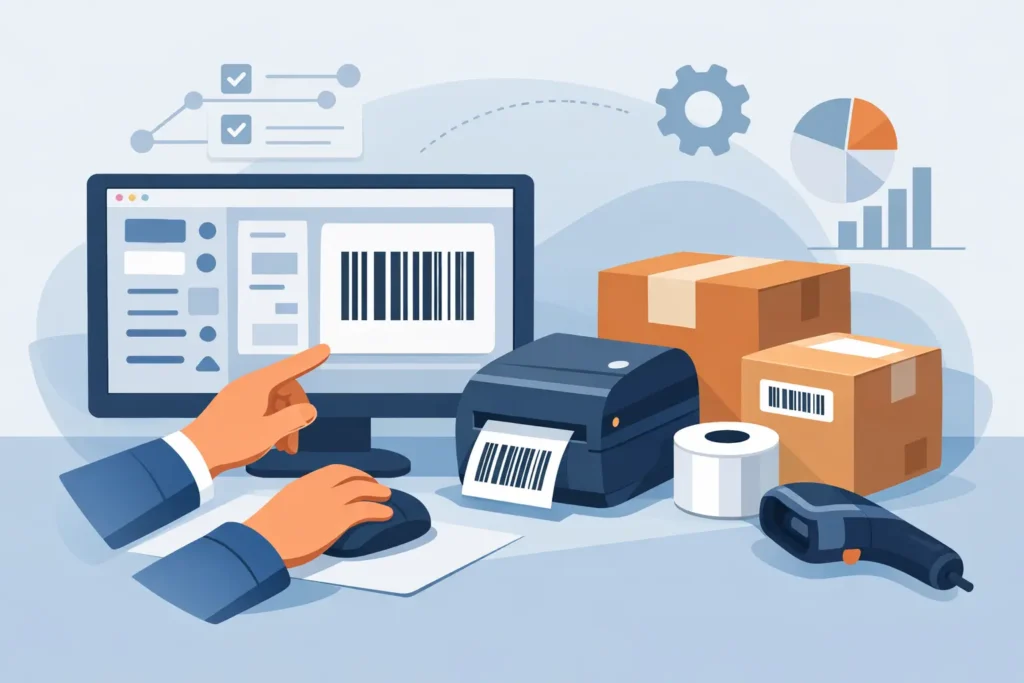
A barcode that scans perfectly in a test print can still fail on the warehouse floor, at a patient’s bedside, or after exposure to heat, moisture, or abrasion. That is why labeling software for barcode printing deserves more attention than it often gets. For most organizations, the software is not just a design tool. It is the control point for data accuracy, print consistency, compliance, and the fit of labeling into daily operations.
If your team is evaluating software, the real question is not simply which package has the most features. Which system will support your printers, connect to your data, fit your workflows, and keep labels readable in the environments where they are actually used?
What labeling software for barcode printing really does
At a basic level, barcode labeling software creates label layouts and sends them to a printer. In practice, it does much more. It manages barcode symbologies, variable data fields, formatting rules, printer settings, templates, and user access. In many operations, it also acts as the bridge between business systems and the physical labels used in receiving, production, shipping, inventory, and asset tracking.
That distinction matters. A simple desktop program may be enough for occasional product labels printed from one workstation. It is a different situation when multiple facilities need standardized labels, when serial numbers must be generated automatically, or when operators need to pull live data from an ERP, WMS, MES, or spreadsheet without rekeying information.
The right software reduces manual entry, lowers the chance of mislabeled products, and helps maintain barcode quality across different printers and media. The wrong software often creates hidden costs – extra labor, training workarounds, template sprawl, and labels that fail when the operation gets busy.
Start with the workflow, not the feature list
Operations teams are often shown software demos built around polished templates and generic examples. Those can be helpful, but they do not tell you how the system will perform in your environment. A better starting point is to map the workflow.
Consider where the data originates, who needs to print, what triggers a label, and whether the same format must be used across multiple devices or sites. A warehouse relabeling inbound pallets has very different requirements than a manufacturer printing work-in-process labels at a production line. Healthcare, life sciences, utilities, nursery operations, and cannabis retail each bring their own demands for accuracy, traceability, and media performance.
When you begin with the workflow, software selection gets more practical. You can focus on whether the platform supports centralized template control, role-based permissions, database connectivity, print automation, and the specific barcode formats required by your operation.
Key capabilities to evaluate
Printer compatibility and command language support
One of the first checks is whether the software works cleanly with your printer fleet. Industrial environments often use a mix of desktop, tabletop, and high-volume printers, sometimes from different manufacturers. Software that supports your devices directly can simplify setup, reduce troubleshooting, and improve print performance.
This becomes more important when print speed and consistency matter. Some applications benefit from software that can use printer-native commands rather than treating every printer like a generic Windows device. That can improve throughput and give you better control over barcode rendering, fonts, and media calibration.
Data integration
Most barcode labeling problems are really data problems. If users are typing item numbers, lot codes, or shipping information by hand, errors will happen. Good labeling software should support pulling data from the systems you already use, whether that means spreadsheets, CSV files, SQL databases, ERP records, or warehouse applications.
The level of integration you need depends on volume and risk. For lower-volume operations, importing data from a managed file may be enough. For higher-volume or compliance-sensitive environments, direct system integration is usually worth the investment because it improves consistency and cuts manual steps.
Template control and standardization
As operations grow, label templates tend to multiply. Different departments create local versions, field lengths get adjusted, and barcode placement changes from one workstation to another. Eventually, no one is fully sure which template is current.
Strong template management helps avoid that drift. Look for software that allows approved label formats to be centrally managed and deployed while limiting who can edit them. Standardization is especially important for multi-site organizations, contract manufacturing environments, and any workflow where scan reliability depends on predictable formatting.
Security and user permissions
Not every user should be able to change a compliance label, edit a GS1 barcode, or modify a serialized numbering sequence. Role-based access matters when labels affect traceability, customer requirements, or regulated workflows.
Some organizations need basic permissions so operators can print but not design. Others need audit trails, approval controls, and tighter change management. The right level depends on your risk profile, but it is worth deciding early rather than after a preventable labeling error.
Barcode quality and standards support
A barcode that looks acceptable on screen may not scan reliably once printed on the actual label stock, ribbon, and printer combination you use every day. Software should support the barcode symbologies your business requires and allow enough control over size, quiet zones, human-readable text, and print resolution.
This is where the larger labeling system matters. Software cannot compensate for an unsuitable label material, a worn printhead, or a poor ribbon match. The best results come from evaluating software as part of the broader print environment, not as a standalone purchase.
Cloud, networked, or standalone?
The deployment model affects more than IT preference. It shapes how users access templates, how updates are managed, and how easily labeling can scale.
Standalone software can be a practical choice for a single station or a tightly controlled local process. It is usually simpler upfront, but it can become harder to manage when multiple users need access or when templates must stay synchronized across departments.
Networked or centrally managed systems provide better control for organizations with multiple printers, users, or sites. Cloud-connected options may also help if remote access, lighter local infrastructure, or distributed printing is part of the plan. That said, some operations prefer local control for security, validation, or uptime reasons. There is no universal best choice. The right answer depends on how your business prints labels and how much governance the process requires.
Common buying mistakes
A frequent mistake is choosing software based only on purchase price. Low-cost tools can be fine for simple needs, but they often become expensive when your process requires database connections, automation, user controls, or support for multiple printer models.
Another mistake is separating the software decision from the printer and media decision. Barcode printing works best when software, printer, ribbon, and label materials are matched to the application. If labels are used outdoors, in freezers, on chemicals, on lumber, or in high-abrasion settings, software alone will not solve durability or scan issues.
It is also common to underestimate implementation. Even robust software can struggle if label fields are poorly mapped, workflows are undocumented, or users are left to build templates without standards. For that reason, many businesses benefit from working with a provider that understands the full labeling environment, not just the software screen.
When advanced software makes sense
Not every organization needs enterprise-level controls. If one person prints simple internal labels from static data, a lighter solution may suffice.
Advanced labeling software for barcode printing makes more sense when the cost of an error is high or when the process spans teams and systems. That includes operations managing compliance labels, serialized inventory, multi-location distribution, production labeling, asset tracking, or customer-specific requirements. In those cases, the software is supporting process control, not just print output.
That is also where an experienced partner can help. PaladinID works with organizations that need labeling systems built around real operating conditions, balancing software capabilities with printer performance, label construction, and implementation support.
How to make the right decision
The best evaluation process is grounded in actual use cases. Test your top options with the printers you use, the label stock you plan to run, and the data sources your operators rely on. Print at production speeds. Scan in real conditions. Check how the system handles template revisions, user permissions, and reprints.
It also helps to think past the initial rollout. If your business adds a second facility, introduces RFID, changes compliance requirements, or automates more of the warehouse, will the software still fit? A platform that works today but cannot support tomorrow’s process usually leads to another replacement project sooner than expected.
Good labeling software should make barcode printing more accurate, more repeatable, and easier to manage under real-world pressure. If your team chooses with the workflow in mind, the result is not just better-looking labels. It is a more dependable operation. To see the software we recommend, please visit Labeling Software in our online catalog.
At PaladinID, we understand that every labeling application is different.
That’s why companies across the country trust us to help them identify the right solution for their business. With over 40 years of experience and one of the industry’s largest selections of labeling products, we make it easy to find the right fit for your operation. Whether you need stock products or a custom-built solution, our team is ready to help. Visit our online catalog, Email us, or call us today at 888.972.5234.
PaladinID delivers label solutions that stick!


Got Labeling Questions? Our AI Assistant Has Answers - Chat Now!
For more information on PaladinID
Get Help With Your Next Label Project
We have over 35 years of providing exceptional service and labeling products to the world. Take the first step to an easy, stress-free solution for your label needs by contacting us.
Schedule a call below or email dritchie@paladinid.com
Make Your Mark
“Making companies more competitive by offering the correct label printing solution, on time, within budget, while creating unmatched value”.
About PaladinID, LLC
PaladinID develops and supports high-performance barcode labeling applications. We work with our clients to “Make Your Mark” by providing the expertise and tools necessary to create an entire product label printing solution. Located in central New Hampshire, PaladinID has been serving Massachusetts, Vermont, Maine, Connecticut, Rhode Island, New England, and beyond for over 30 years, and in 2017, became an RFID-certified company. We look forward to working with you.
You may be interested in our other services:
Product Labels
Product Labels
Labels for every type of application: Blank, Pre-printed, Variable data
Label Printers
Label Printers
We sell and support: Direct/thermal transfer, Inkjet, Laser
Printer Ribbons
Printer Ribbons
We sell ribbons for ALL barcode printers including: Zebra, Datamax, Sato, Intermec
Flexible Packaging
Flexible Packaging
We offer a wide variety of packaging containers for your products.
Label Software
Label Software
Software for all barcode printing and product labeling.
Label applicators
Label Applicators
Wide selection of applicators: Desktop/Mobile, Applicator only, Print & apply
